Contents
- Step-by-Step Video Tutorial
- What You Need
- How Much to Start With a Low Budget? 4 Brokers Compared
- 1. Why You Must Verify Your Identity Before Trading
- 2. How to Download the Trading App Safely
- 3. How to Open a Trading Account on Your Phone
- 4. Verify Your ID Card (KYC)
- 5. Making Your First Deposit on a Small Budget
- 6. Verify Your Phone Number
- 7. Start Trading Systematically
- 8. Your First Withdrawal + Bank Account Verification
- 9. How to Contact Support When Something Goes Wrong
- Money Management
- Summary + Warnings
- Frequently Asked Questions (FAQ)
- Can I really open a trading account with just my phone — no computer?
- How much money do I need to start trading with a low budget?
- What documents do I need to open a trading account?
- Why do I have to verify my identity (KYC) before trading?
- If I open a trading account, is profit guaranteed?
- Disclaimer
Opening a trading account means signing up with a broker so you can buy and sell assets such as currencies, gold, or stocks. Today the entire process works from a mobile app — sign-up, identity verification, deposits, and withdrawals — and many brokers start at a minimum deposit of only about $10, so beginners can start without a large budget.
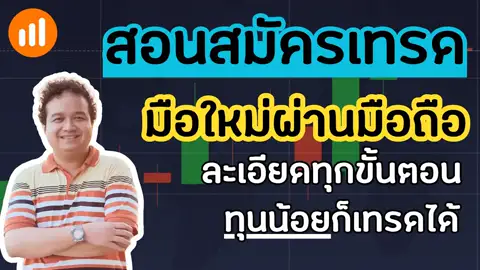
This article walks you through every step, just like the video: safely downloading the app, opening the account, verifying your identity, making a first deposit, and test-withdrawing real money — all on a single phone.
Interested in starting mobile trading with IQ Option? Open an account here (promo code: SORNWINTH)
NOTE
Trading involves risk. Never invest all of your money.
Step-by-Step Video Tutorial
You can follow every step hand-in-hand in the video below (Thai audio):
What You Need
| Item | Used in the video |
|---|---|
| Smartphone or tablet | Android, iOS (iPhone/iPad), or any tablet — one device covers every step |
| Physical national ID card | For the identity-verification (KYC) photos |
| Email + phone number | For sign-up and confirmation codes |
| Deposit/withdrawal channel | A bank account or online payment method the broker supports |
| Starting budget | Minimum of about $10 (see the comparison table below) |
How Much to Start With a Low Budget? 4 Brokers Compared
The video demonstrates with IQ Option, but the same approach applies to the other popular mobile brokers in this category.
| Broker | Minimum deposit (approx.) | Minimum trade |
|---|---|---|
| IQ Option (used in the video) | $10 | $1 |
| Olymp Trade | $10 | $1 |
| Quotex | $10 | $1 |
| Pocket Option | $5–$50 depending on payment method | $1 |
NOTE
Minimums can change over time and vary by payment method and country — always double-check inside the app before depositing.
1. Why You Must Verify Your Identity Before Trading
Many people want to skip identity verification (KYC) because it feels like a hassle — but it’s actually your own protective shield:
- It stops other people from impersonating you or hijacking your account
- It’s a standard broker requirement to prevent money laundering
- Most importantly — without verification, you usually cannot withdraw, or you get stuck at withdrawal time
So complete it on day one, right after opening the account, and you’ll never have to untangle it later.
2. How to Download the Trading App Safely
The most common beginner mistake is downloading a fake app or landing on a copycat website. The safe way:
- Go to the broker’s official website directly, or through a trusted link, and download from there
- If you use the App Store / Google Play, check that the developer name matches the actual broker company
- Never tap links from SMS messages or strangers who message you about trading — that’s a classic scam pattern
NOTE
Real brokers never have an “admin” message you to deposit money or trade on your behalf. If that happens, assume it’s a scam.
3. How to Open a Trading Account on Your Phone
Open the app and tap Sign up — you only need a few details:
- Enter your email and set a password (or sign up with your Google/Apple account)
- Confirm your email via the link the system sends you
- Log in — you’ll get a Demo account to practice with before depositing any real money
For IQ Option, sign up via this link and use the promo code SORNWINTH.
NOTE
Practice on the Demo account until you’re comfortable before moving to a real account — it costs nothing and carries no risk.
4. Verify Your ID Card (KYC)
Go to your profile menu → Verification and follow the system:
- Photograph your physical ID card — every character readable, no glare
- Take a photo of yourself holding the card (some brokers use a short selfie video instead)
- Wait for the review — usually a few minutes up to a few hours
The name you enter in the app must match your ID card exactly, letter for letter, or the review may be rejected and you’ll have to redo it.
5. Making Your First Deposit on a Small Budget
When you’re ready to trade for real, open the Deposit menu and pick a convenient channel, such as online banking or a debit/credit card.
- Start with the minimum deposit (about $10) — you don’t need to deposit more to “unlock” anything
- Check the minimum amount and fees for your chosen channel on the deposit page before confirming
- Once deposited, the balance goes into your Real account, separate from Demo — switch between them at the top of the app
IMPORTANT
Only use money you can afford to lose. Never deposit borrowed money, salary you need for expenses, or emergency funds.
6. Verify Your Phone Number
One more layer of security worth completing: go to your profile menu → Phone number, enter your mobile number, and confirm with the OTP code sent by SMS. Your account is now tied to your real number, which helps both with password recovery and withdrawal confirmation.
7. Start Trading Systematically
The video introduces the simplest chart-reading foundation for beginners: support and resistance and reading the trend, so that every entry and exit has a reason behind it instead of being a random guess.
- Practice everything on the Demo account until you can follow your plan consistently, then use real money
- Start with $1 trades — the minimum — to cap the damage while you’re learning
- Journal every trade: why you entered and how it went — discipline matters more than technique
NOTE
No technique guarantees results. Trading always carries the risk of loss, especially during big news or volatile markets.
8. Your First Withdrawal + Bank Account Verification
We recommend test-withdrawing a small amount early on to confirm your withdrawal path actually works:
- Open the Withdrawal menu and choose the same channel you used to deposit
- The first time, the system usually asks you to verify your bank account or payment channel — complete every step
- Enter the amount and confirm with an OTP
In the video the money arrived within about 30 minutes, but real timing depends on the channel, bank cut-off rounds, and the broker’s review — it can also take 1–3 business days.
9. How to Contact Support When Something Goes Wrong
If you hit a problem — verification rejected, a deposit not arriving, or a slow withdrawal — contact the broker’s support directly, only through the in-app chat or the official email. Prepare complete details — the email you registered with, when the issue happened, and screenshots — and it will get resolved much faster.
NOTE
Never give your password or OTP codes to anyone. Real support staff will never ask for them.
Money Management
The part that matters more than opening the account is surviving long-term:
- Start on Demo — practice until you can follow your plan consistently before using real money
- Deposit the minimum first — start at $10 and only consider adding more once your system is stable
- Cap the risk per trade — start with $1 trades, and never size up to “win it back” after a loss
- Keep trading money separate from living money — only deposit what you can lose without it affecting your life
- Test a withdrawal early — confirm your withdrawal path works before you ever think about depositing more
Summary + Warnings
- You can open a trading account entirely from one phone — from sign-up all the way to withdrawal
- A small budget genuinely works (minimum deposit around $10, minimum trade $1), but trading does not guarantee profit and losses are always possible
- Download apps only from official sources, and beware of scammers who message you about trading or offer to trade for you
- Complete identity verification on day one so you never get stuck at withdrawal time
- Only use money you can afford to lose — never borrowed money or essential funds
If you’re interested in tools that help you find trade setups, continue with the UCDST Script for Binary Option and the ChatGPT-built trading signal script.
If you use IQ Option and want a screen-by-screen walkthrough of sign-up, KYC, deposits, and withdrawals, see How to Open an IQ Option Account — and once your account is ready, read on here for how to start trading on your phone.
Frequently Asked Questions (FAQ)
Can I really open a trading account with just my phone — no computer?
Yes. Every step — downloading the app, signing up, verifying your identity, depositing, and even withdrawing — can be done entirely on an Android phone, iPhone, or tablet. No computer is required. All you need is a stable internet connection and your national ID card for identity verification.
How much money do I need to start trading with a low budget?
Most binary-options-style brokers set the minimum deposit at around $10 and let you open trades from just $1 — for example IQ Option, Olymp Trade, and Quotex. Pocket Option’s minimum varies by payment method. So you can start with a very small budget, but only ever use money you can afford to lose.
What documents do I need to open a trading account?
Mainly just your physical national ID card for the identity-verification photos, a working email address, and a phone number to receive confirmation codes. When you withdraw, you may also need to verify your bank account or payment channel. Everything can be photographed and uploaded straight from your phone.
Why do I have to verify my identity (KYC) before trading?
Identity verification is a standard broker security requirement. It stops other people from impersonating you, helps prevent money laundering, and keeps withdrawals smooth. Skipping it early usually means getting stuck at withdrawal time, so complete it right after opening your account.
If I open a trading account, is profit guaranteed?
No. Every form of trading carries the risk of loss, and no system or technique can guarantee profit. Beginners should practice on a Demo account first, start with money they can genuinely afford to lose, and never trade with borrowed money or funds they need for daily life.
Disclaimer
IMPORTANT
Trading involves risk. Never invest all of your money.
This article is for educational purposes only and is not investment advice. Account-opening links in this article are affiliate links — the team earns a commission if you sign up through them, at no extra cost to you.
If you’d like to learn about diversification and splitting your portfolio, watch the clip below:
Hope this helps every beginner out there.
Happy Trading!
FAQ
Can I really open a trading account with just my phone — no computer?
Yes. Every step — downloading the app, signing up, verifying your identity, depositing, and even withdrawing — can be done entirely on an Android phone, iPhone, or tablet. No computer is required. All you need is a stable internet connection and your national ID card for identity verification.
How much money do I need to start trading with a low budget?
Most binary-options-style brokers set the minimum deposit at around $10 and let you open trades from just $1 — for example IQ Option, Olymp Trade, and Quotex. Pocket Option's minimum varies by payment method. So you can start with a very small budget, but only ever use money you can afford to lose.
What documents do I need to open a trading account?
Mainly just your physical national ID card for the identity-verification photos, a working email address, and a phone number to receive confirmation codes. When you withdraw, you may also need to verify your bank account or payment channel. Everything can be photographed and uploaded straight from your phone.
Why do I have to verify my identity (KYC) before trading?
Identity verification is a standard broker security requirement. It stops other people from impersonating you, helps prevent money laundering, and keeps withdrawals smooth. Skipping it early usually means getting stuck at withdrawal time, so complete it right after opening your account.
If I open a trading account, is profit guaranteed?
No. Every form of trading carries the risk of loss, and no system or technique can guarantee profit. Beginners should practice on a Demo account first, start with money they can genuinely afford to lose, and never trade with borrowed money or funds they need for daily life.